Signature feature
Every door you install gets a passport.
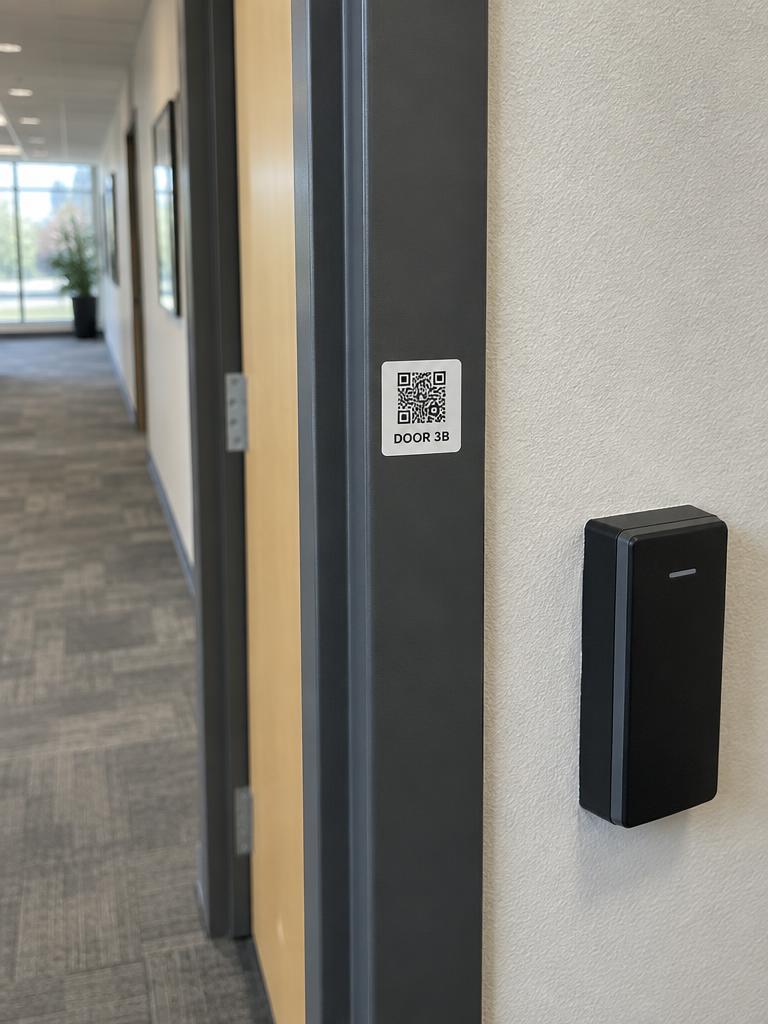
A small QR label on the frame opens that door's record: installed hardware, warranty, last service, documents and one button to report a problem. Your tech scans the same label and gets the wiring notes and programming sheet.
Included on every plan.
1 scan
to request service on the right door
No login
a private link per door, revocable any time
Minutes
to print labels for a whole site
How it works
Four steps. The first one is a sticker.
- 1
Issue
One opening at a time, or every opening at a site in one click. Each gets a private 256-bit link.
- 2
Print
Label sheets for standard 2.5 inch square or 4 by 2 inch stock, with the door label, your name and phone and the QR code.
- 3
Stick
On the frame near the latch, where someone standing at a stuck door will see it.
- 4
Scan
A facility manager sees the door's record and a Report a problem button. Your staff get a link straight into Rundown.
What you get
Built in, not bolted on.
Door Passport shares the same openings, estimates and price book as the rest of Rundown, so nothing is retyped.
- 01
A public page per door
Branded with your logo and colors. Door label, location, status, lock type, fail mode and warranty state.
- 02
Report a problem
Problem chips, a description, contact details and a photo. It becomes an unscheduled job with the door and its history already attached.
- 03
Installed hardware
Each device with make, model, installed date and a warranty chip: active, ending soon or expired. No serial numbers in public.
- 04
Service at a glance
Last service, service plan coverage, the next scheduled visit and any open requests, so nobody reports the same door twice.
- 05
Documents
The as-built package, client-visible files and the Visualizer render for that door.
- 06
Label printing and tracking
Print sheets per site, see scan and report counts per door, and revoke a passport in one click.
For the facility manager
The service call that writes itself.
Door not latching. Scan, tap, done. The job arrives in your office with the opening, the devices on it, the last service date and a photo. No phone tree, no which door was it again.
- Six common problems as one-tap chips, plus a free-text field
- Reporter contact is captured for the follow-up text
- Rate limited and tokenized, so a label cannot be abused
For your shop
Your name stays on the door.
Three years from now a new facility manager scans the frame and finds your company, the warranty and the as-built. The competitor's quote starts from zero. Yours starts from a scan.
- Staff see a Staff link that opens the opening in Rundown
- Scans and reports are logged on the opening timeline
- Works with the client portal, which lists every passport
Works with
The other signature features
Questions
What does a client see compared with staff?
Everyone sees the public page: hardware without serial numbers, warranty, service history and documents you marked visible to the client. Staff follow the Staff link to the full opening record in Rundown, which needs a sign-in.
Can I revoke a passport?
Yes. Revoking clears the token and the label stops working immediately. You can issue a new one and print a new label.
What label stock do I need?
Any laser or inkjet label sheet. The sheet layouts match common 2.5 inch square (12 per page) and 4 by 2 inch (10 per page) stock. Use outdoor-rated stock for exterior frames.
Does the client need an app?
No. The phone's camera opens the link in the browser. There is nothing to install and nothing to log in to.